


Description
Simplify your workstation setup with the TRENDnet TK-207K 2-Port USB KVM Switch. Designed for users who need to manage two computers from a single workstation, this compact KVM switch allows you to share one VGA monitor, USB keyboard, and USB mouse between two connected PCs.
The TK-207K supports VGA video resolutions up to 2048 × 1536 at a 60Hz refresh rate, delivering high-quality display output for compatible systems. Switch between connected computers conveniently using the front-panel push buttons or keyboard hotkey commands.
Its automatic scanning function monitors connected computers and provides audible feedback during operation. The switch also supports keyboard state saving and restoration, helping maintain keyboard functionality when changing between computers.
Two 4ft (1.2m) KVM cable sets are included, each featuring VGA and USB connections for the computer. The USB-powered design eliminates the need for a separate power adapter, making installation straightforward.
Ideal for offices, IT departments, server rooms, and desktop workstations, the TRENDnet TK-207K provides a practical solution for controlling two computers with one set of console peripherals.
1. Key Features
- 2-Computer Control: Manage two computers using one keyboard, monitor, and mouse.
- VGA Video Support: Supports resolutions up to 2048 × 1536 at 60Hz.
- USB Keyboard & Mouse: Connects standard USB keyboard and mouse peripherals.
- Multiple Switching Options: Switch between computers using front-panel buttons or keyboard hotkeys.
- Auto-Scan Function: Automatically scans connected computers with audible feedback.
- Included KVM Cables: Comes with two 4ft (1.2m) VGA and USB KVM cables.
- USB Powered: Receives power through the USB connection without requiring an external adapter.
- Plug-and-Play Operation: No external power adapter or CD installation required.
- Compact Design: Small footprint suitable for desktop and workstation environments.
- Hot-Pluggable: Supports connecting or disconnecting computers without powering down the KVM switch.
2. Technical Specifications
| Specification | Details |
|---|---|
| Brand | TRENDnet |
| Model | TK-207K |
| Product Type | 2-Port USB KVM Switch |
| Hardware Version | V3 |
| Number of Computers Supported | 2 |
| Video Interface | VGA / SVGA |
| Maximum Video Resolution | 2048 × 1536 |
| Maximum Refresh Rate | 60Hz |
| Console Monitor Connector | 1 × VGA 15-pin HDB Female |
| Console Keyboard Connector | 1 × USB 2.0 Type-A |
| Console Mouse Connector | 1 × USB 2.0 Type-A |
| Computer Interfaces | 2 × VGA 15-pin HDB Female, 2 × USB Type-A |
| USB Standard | USB 2.0 |
| Switching Methods | Front-Panel Push Buttons, Keyboard Hotkeys |
| Auto-Scan | Yes |
| Audible Feedback | Yes |
| Keyboard State | Saved and Restored |
| KVM Cable Quantity | 2 Sets |
| KVM Cable Length | 1.2m (4ft) per set |
| Cable Connections | VGA Male-to-Male and USB Type-A |
| Power Method | USB Powered |
| Maximum Power Consumption | 0.7W |
| External Power Adapter | Not Required |
| Operating Temperature | 0°C to 40°C |
| Operating Humidity | Maximum 90%, non-condensing |
| Dimensions | 95 × 63 × 24mm |
| Weight | 96g |
| Certifications | CE, FCC |
| Warranty | 2 Years |
3. Applications / Use Cases
- Office Workstations: Control two desktop computers using one monitor, keyboard, and mouse.
- IT Administration: Manage multiple computers from a shared workstation.
- Server Management: Switch between two VGA-equipped servers.
- Desktop Computing: Reduce peripheral duplication in multi-computer workspaces.
- Technical Support: Access two computers from a single console setup.
- Small Business Networks: Simplify computer management in offices and small IT environments.
- Testing Environments: Operate two computer systems from one workstation.
4. Compatibility
- Supports up to two computers with available VGA and USB Type-A connections.
- Compatible with VGA/SVGA monitors supporting resolutions up to 2048 × 1536 at 60Hz.
- Supports standard USB keyboards and USB mice.
- Supports Windows and Linux operating systems according to manufacturer documentation.
- Requires one available VGA output and one USB port on each connected computer.
- Requires one VGA monitor and USB keyboard and mouse for the shared console.
- Includes two VGA/USB KVM cable sets for connecting the computers.
Important compatibility notes:
- This is a VGA-based KVM switch, not an HDMI, DisplayPort, or DVI KVM switch.
- Computers must have native VGA connections or an appropriately compatible video output arrangement. TRENDnet does not recommend third-party converters or docking stations between the KVM and connected equipment.
- Wireless keyboard and mouse operation is not guaranteed; TRENDnet recommends wired peripherals for optimal performance.
5. What's Included
- 1 × TRENDnet TK-207K 2-Port USB KVM Switch
- 2 × USB KVM Cable Sets (1.2m / 4ft each)
Note: The current V3 datasheet lists the KVM switch and two KVM cable sets as package contents. Confirm whether a printed installation guide is included in the actual retail package before listing it as a guaranteed accessory.
6. FAQs
Q1. What is the TRENDnet TK-207K used for?
The TK-207K allows users to control two computers using one VGA monitor, USB keyboard, and USB mouse.
Q2. How many computers can the TK-207K support?
It supports up to two computers connected through VGA and USB interfaces.
Q3. What is the maximum supported display resolution?
It supports VGA resolutions up to 2048 × 1536 at 60Hz.
Q4. How do I switch between connected computers?
You can switch using the front-panel push buttons or keyboard hotkey commands.
Q5. Does the TK-207K require an external power adapter?
No. The switch is USB-powered through the connected computer cables and does not require an external power adapter.
Q6. Are KVM cables included?
Yes. The package includes two KVM cable sets, each measuring 1.2m (4ft).
Q7. Does the TK-207K support HDMI or DisplayPort monitors?
No. The TK-207K uses VGA video connections and does not provide native HDMI or DisplayPort connectivity.
Q8. What operating systems are supported?
TRENDnet documentation identifies support for most operating systems, including Windows and Linux. Verify compatibility with the specific computer and peripheral configuration.
7. Why Buy from Multilink?
Multilink Solutions Inc. supplies networking and connectivity products for business, enterprise, and IT infrastructure applications.
- Genuine networking products from established manufacturers.
- Technical product information to support purchasing decisions.
- Solutions for professional IT and workstation environments.
- Assistance with selecting compatible networking equipment.
- Sourcing support for business and infrastructure projects.
Related Products
Related Products


TRENDnet TK-240DP 2-Port Dual Monitor DisplayPort KVM Switch
TRENDNET


TRENDnet TK-241DP 2-Port DisplayPort 1.2 KVM Switch with 4K UHD Support and USB 2.0 Hub
TRENDNET


TRENDnet TPE-TG262 26-Port Gigabit PoE+ Switch, 380W, 24 PoE+ Ports + 2 SFP
TRENDNET

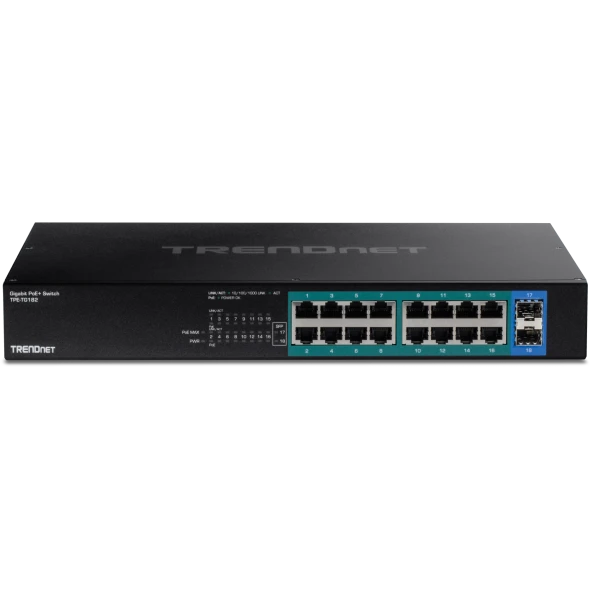
TRENDnet TPE-TG182 18-Port Gigabit PoE+ Switch | 240W
TRENDNET


TRENDnet TPE-3524S 52-Port Gigabit PoE+ Managed Switch
TRENDNET