
TRENDNET
TRENDnet TK-240DP 2-Port Dual Monitor DisplayPort KVM Switch

- SKU:
- TK-240DP
- MPN:
- TK-240DP


Description
Simplify your workstation with the TRENDnet TK-240DP 2-Port Dual Monitor DisplayPort KVM Switch. Designed for users who operate two computers with a dual-monitor setup, this KVM switch allows you to share one keyboard, mouse, and two DisplayPort monitors between connected systems.
Dual-Monitor DisplayPort Connectivity
The TK-240DP supports two DisplayPort 1.2 monitors, allowing users to maintain a dual-screen workstation while switching between two computers. It supports 4K UHD resolutions up to 3840 × 2160 at 60Hz and resolutions up to 2560 × 1440 at 144Hz, making it suitable for high-resolution office, professional, and productivity applications.
Convenient Computer Switching
Switch between connected computers using the front-panel push buttons or keyboard hotkey commands. The integrated True Transparent USB (TTU) emulation technology supports most USB keyboard and mouse designs, providing convenient control without requiring separate input devices for each computer.
Integrated USB 2.0 Hub
Two additional USB 2.0 hub ports allow compatible peripherals, including storage devices and printers, to be shared between connected computers. This helps reduce desktop clutter and simplifies access to common USB accessories.
Integrated Audio Connections
The KVM switch includes 3.5mm speaker and microphone connections for audio switching between connected systems. This makes it useful for workstations that require shared audio peripherals alongside keyboard, mouse, and display control.
Durable Design and Easy Installation
Housed in a rugged metal enclosure, the TK-240DP is designed for everyday workstation use. Its driver-free installation simplifies deployment, while the included external power adapter provides the required power. The separate TK-CP06 cable kits provide the necessary computer connections and must be purchased separately.
1. Key Features
- 2-Computer Control: Operate two computers using one keyboard, mouse, and dual-monitor workstation.
- Dual DisplayPort 1.2: Connect two DisplayPort monitors for an extended dual-screen setup.
- 4K UHD Resolution: Supports resolutions up to 3840 × 2160 at 60Hz.
- High Refresh Rate: Supports up to 2560 × 1440 at 144Hz.
- USB 2.0 Hub: Two additional USB ports for sharing compatible storage devices and printers.
- Audio Support: Integrated 3.5mm speaker and microphone connections.
- Flexible Switching: Switch between connected computers using front-panel buttons or keyboard hotkeys.
- USB Compatibility: True Transparent USB (TTU) emulation supports most keyboard and mouse designs.
- Metal Enclosure: Durable metal housing for workstation and office environments.
- Driver-Free Setup: No CD installation or additional software installation required.
2. Technical Specifications
| Specification | Details |
|---|---|
| Brand | TRENDnet |
| Model | TK-240DP |
| Hardware Version | V3 / V3.0R |
| Product Type | Dual Monitor KVM Switch |
| Number of Computers | 2 |
| Console Monitor Connections | 2 × DisplayPort 1.2 |
| Computer Monitor Connections | 2 × DisplayPort 1.2 per computer |
| Keyboard Connection | USB Type-A console; USB Type-B KVM interface |
| Mouse Connection | USB Type-A console; USB Type-B KVM interface |
| USB Hub | 2 × USB 2.0 ports |
| Audio Connections | 3.5mm speaker and microphone |
| Maximum Resolution | 3840 × 2160 at 60Hz |
| High Refresh Rate Support | Up to 2560 × 1440 at 144Hz |
| Additional Supported Resolutions | 1920 × 1080 at 144Hz; 1920 × 1200 at 144Hz; 1920 × 1440 at 144Hz; 3440 × 1440 at 60Hz |
| Switching Methods | Front-panel push buttons and keyboard hotkeys |
| USB Technology | True Transparent USB (TTU) emulation |
| Enclosure | Metal |
| Installation | Driver-free |
| AC Input | 100–240V AC, 50/60Hz, 0.8A |
| DC Output | 9V DC, 2A |
| Maximum Power Consumption | 0.7W |
| Operating Temperature | 0°C to 40°C |
| Operating Humidity | Maximum 90%, non-condensing |
| Dimensions | 163 × 100 × 66mm (6.4 × 3.9 × 2.6 in.) |
| Weight | 750g (1.65 lbs.) |
| Certifications | CE, FCC |
| Warranty | 2 years |
3. Applications / Use Cases
- Dual-Computer Workstations: Control two computers from one dual-monitor desk setup.
- Office Environments: Share keyboard, mouse, and monitors between office computers.
- IT Administration: Manage two computer systems from a single workstation.
- Professional Workstations: Switch between systems without reconnecting display and input devices.
- Multi-System Productivity: Share compatible USB peripherals and audio equipment.
- Technical Support Desks: Simplify access to two computers from one console.
4. Compatibility
The TK-240DP is designed for:
- Two computers with compatible DisplayPort 1.2 connections.
- Two DisplayPort monitors.
- USB keyboards and mice.
- Compatible USB 2.0 peripherals, including storage devices and printers.
- 3.5mm speaker and microphone connections.
- DisplayPort systems supporting the resolutions and refresh rates specified by TRENDnet.
Required additional accessories:
- TRENDnet TK-CP06 DisplayPort, USB, and audio KVM cable kit.
- Two TK-CP06 cable kits are required to connect two computers.
Important: Confirm that both computers have the required DisplayPort, USB, and audio connections before purchasing.
5. What's Included
According to TRENDnet's V3 documentation:
- 1 × TRENDnet TK-240DP KVM Switch
- 1 × Quick Installation Guide
- 1 × 9V DC, 2A External Power Adapter
Not Included: TK-CP06 KVM cable kits. These are sold separately and required for connecting computers.
6. Frequently Asked Questions
Q1. How many computers can the TRENDnet TK-240DP control?
It can control up to two computers using one shared keyboard, mouse, and dual-monitor setup.
Q2. Does the TK-240DP support dual monitors?
Yes. It supports two DisplayPort 1.2 monitors, allowing users to operate a dual-screen workstation.
Q3. What is the maximum supported resolution?
The switch supports resolutions up to 3840 × 2160 (4K UHD) at 60Hz. It also supports up to 2560 × 1440 at 144Hz.
Q4. Does the TK-240DP include USB ports?
Yes. It includes a 2-port USB 2.0 hub for sharing compatible USB devices, such as storage drives and printers.
Q5. Can I switch between computers using keyboard shortcuts?
Yes. You can switch between connected computers using keyboard hotkey commands or the front-panel push buttons.
Q6. Are the required computer cables included?
No. The TK-CP06 KVM cable kits are sold separately. Two kits are required to connect two computers.
Q7. Does this KVM switch support audio?
Yes. It includes 3.5mm speaker and microphone connections for audio switching between connected computers.
Q8. Does the TK-240DP require software installation?
No. TRENDnet specifies driver-free installation, so no CD installation is required.
7. Why Buy from Multilink?
Choose Multilink Solutions Inc. for networking and connectivity products from trusted manufacturers such as TRENDnet.
- Genuine networking and connectivity products.
- Product information based on manufacturer specifications.
- Solutions for business, office, and IT infrastructure requirements.
- Support for selecting compatible networking accessories.
- Professional service for business and technology customers.
Related Products
Related Products


TRENDnet TK-207K 2-Port USB VGA KVM Switch
TRENDNET


TRENDnet TK-241DP 2-Port DisplayPort 1.2 KVM Switch with 4K UHD Support and USB 2.0 Hub
TRENDNET


TRENDnet TPE-TG262 26-Port Gigabit PoE+ Switch, 380W, 24 PoE+ Ports + 2 SFP
TRENDNET

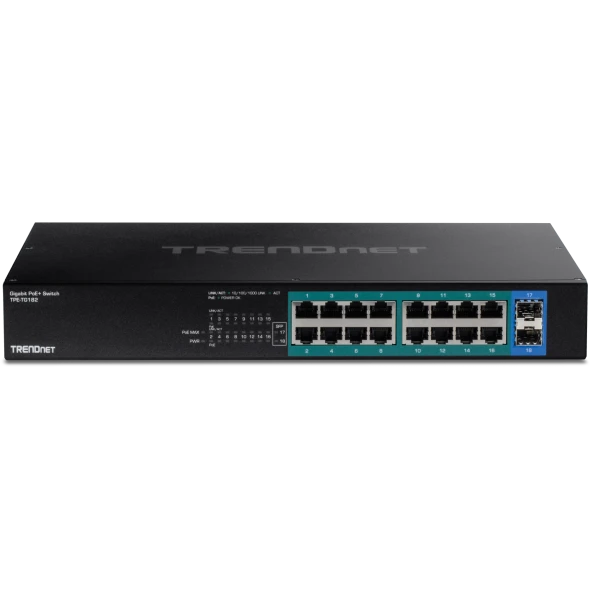
TRENDnet TPE-TG182 18-Port Gigabit PoE+ Switch | 240W
TRENDNET


TRENDnet TPE-3524S 52-Port Gigabit PoE+ Managed Switch
TRENDNET